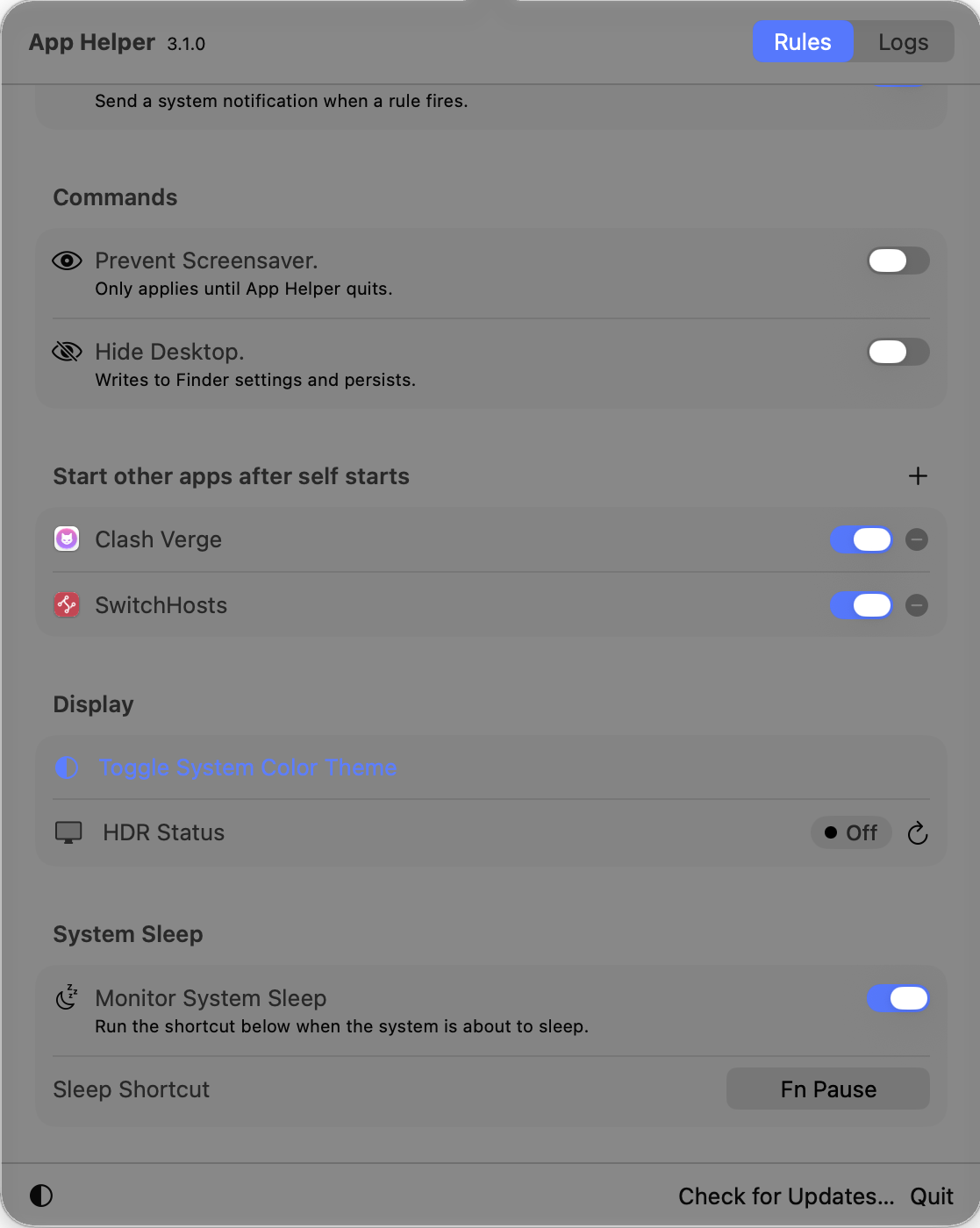
One menu bar popover
Change rules, manage companion apps, check display and sleep settings, or open activity logs from the status icon.
 App Helper
 macOS utility for background cleanup and small system tasks
Keep your Mac a little calmer with rule-based app cleanup, Xcode helpers, display controls, auto-start companions, menu bar access, notifications, and logs.
What it does
App Helper is designed for people who notice that helper processes, app leftovers, display settings, and companion utilities often need the same small fixes. Turn on the rules you trust, then open the menu bar popover whenever you need to adjust a setting or review activity.
Features
Run selected rules in the background to restart helpers, quit leftover services, and keep common macOS app remains under control.
XcodeWatch Xcode CPU usage, notify when it stays high, and clean up SourceKitService after Xcode exits.
CleanerTarget Open and Save Panel Service, Web Content processes, and Safari remains when the owning app has already closed.
Auto StartPick apps that should launch after App Helper starts, with per-app toggles and duplicate protection.
DisplayToggle the system color theme, check HDR status, prevent display sleep, hide the desktop, and set a sleep shortcut.
Menu BarOpen the compact popover from the status icon to change rules, review logs, switch appearance, check for updates, or quit.
Screenshots
Change rules, manage companion apps, check display and sleep settings, or open activity logs from the status icon.
Deep dives
Feature detail
Enable only the rules you want. App Helper listens for app termination events and applies the matching cleanup after a short delay so it can avoid interrupting normal app shutdown.
Feature detail
Developer machines can accumulate SourceKitService or high CPU sessions. App Helper can watch Xcode, record the event, and notify you when attention is needed.
Feature detail
Cleaner rules focus on common leftover macOS helper processes, including Web Content, Open and Save Panel Service, QuickLookUIService, and Safari-related remains.
Feature detail
Use App Helper as a small launch companion. Add applications from the Applications folder, toggle them individually, and let the background watcher reopen missing enabled apps.
Feature detail
Quick commands cover theme switching, HDR status checks, display sleep prevention, desktop visibility, and a configurable shortcut for sleep monitoring.
Feature detail
App Helper runs as a menu bar app. Click its status icon to open the rules and logs, adjust appearance, check for updates, or quit.
Feature detail
Matched rules can send local notifications and write Core Data logs, giving you a simple record of what App Helper started, restarted, quit, or could not complete.
About